> ## Documentation Index
> Fetch the complete documentation index at: https://axiom.co/docs/llms.txt
> Use this file to discover all available pages before exploring further.
# Track issues
> Group recurring review findings into issues, inspect supporting evidence, and track whether a failure pattern still needs follow-up
## Understand how issues are created
Issues are created from the Review workflow:
* A reviewer inspects a conversation in **Review** and submits feedback.
* When the review is negative, Axiom matches it to an existing issue, If Axiom doesn't find a match, it creates a new issue and adds the reviewed conversation as supporting evidence.
* The **Issues** page collects those recurring findings so you can manage them as a shared backlog instead of reviewing each conversation in isolation.
To learn how reviewers submit feedback and trigger these issue decisions, see [Review conversations](/ai-engineering/iterate/review).
## Open issues
To open issues:
1. Navigate to **AI engineering**.
2. Click **Issues**.
3. Select a capability from the sidebar.
Issues are scoped to the selected capability.
## Find an issue
To find an issue:
1. Use the status filter to switch between **Unresolved** and **Resolved**.
2. Use search to filter the issue list.
3. Click an issue to open its details.
New issues are created from submitting reviews.
 ## Review issue evidence
To inspect the conversations behind an issue:
1. Open the issue from the list.
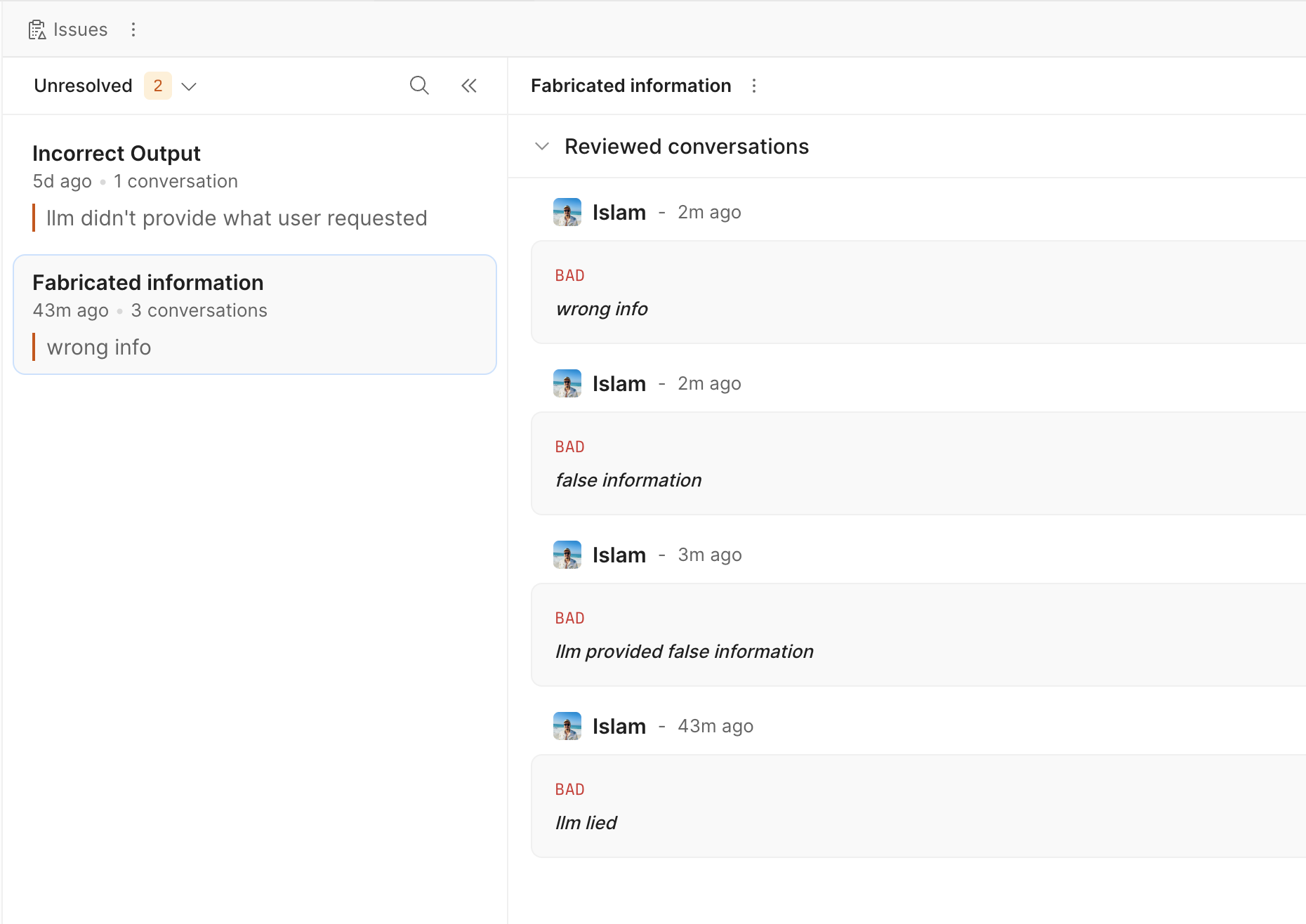
2. Review the **Reviewed conversations** section.
3. Check the reviewer, timestamp, feedback label, and excerpt.
4. Click **View trace** to open the related trace.
This view helps confirm that multiple reviews point to the same failure pattern.
## Change issue status
To change the status of an issue:
1. Open the issue.
2. Click **Mark as resolved** or **Mark as unresolved**.
Use **Resolved** when the issue no longer needs active follow-up. Use **Unresolved** to return the issue to the active list.
## Delete an issue
To delete an issue:
1. Open the issue.
2. Click the issue actions menu.
3. Click **Delete issue**.
4. Confirm the deletion.
Deleting an issue permanently removes the record.
## View the decision log
To inspect review-to-issue decisions:
1. Open **AI engineering** > **Issues**.
2. Click the page actions menu.
3. Click **View decision log**.
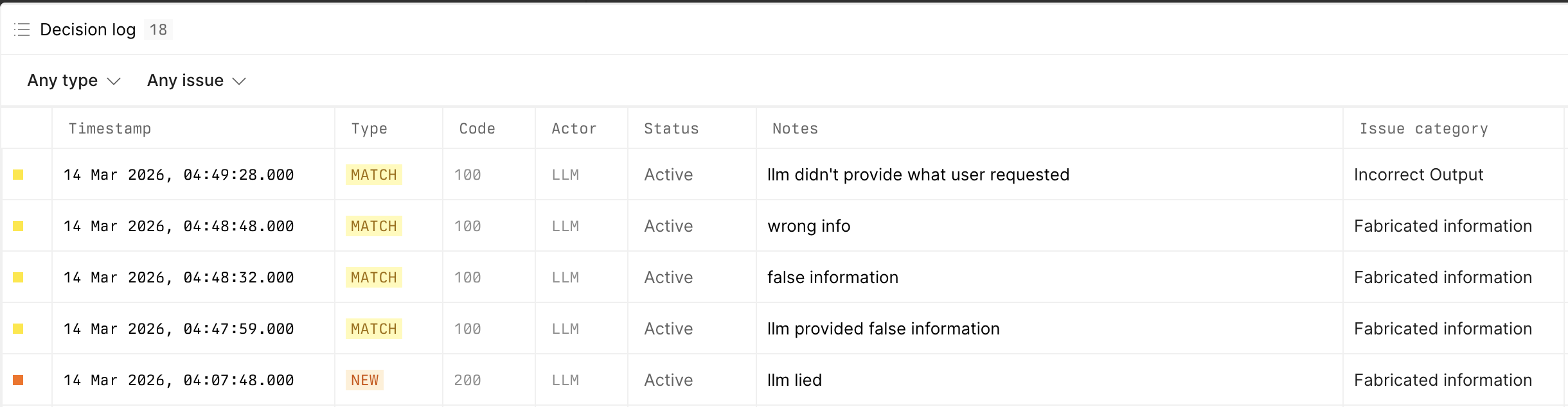
4. Filter the list by decision type or issue.
The decision log includes these decision types:
* **New** for reviews that created a new issue.
* **Match** for reviews mapped to an existing issue.
* **Skip** for reviews that didn't create or match an issue.
## Review issue evidence
To inspect the conversations behind an issue:
1. Open the issue from the list.
2. Review the **Reviewed conversations** section.
3. Check the reviewer, timestamp, feedback label, and excerpt.
4. Click **View trace** to open the related trace.
This view helps confirm that multiple reviews point to the same failure pattern.
## Change issue status
To change the status of an issue:
1. Open the issue.
2. Click **Mark as resolved** or **Mark as unresolved**.
Use **Resolved** when the issue no longer needs active follow-up. Use **Unresolved** to return the issue to the active list.
## Delete an issue
To delete an issue:
1. Open the issue.
2. Click the issue actions menu.
3. Click **Delete issue**.
4. Confirm the deletion.
Deleting an issue permanently removes the record.
## View the decision log
To inspect review-to-issue decisions:
1. Open **AI engineering** > **Issues**.
2. Click the page actions menu.
3. Click **View decision log**.
4. Filter the list by decision type or issue.
The decision log includes these decision types:
* **New** for reviews that created a new issue.
* **Match** for reviews mapped to an existing issue.
* **Skip** for reviews that didn't create or match an issue.
 ## What's next?
* Review more conversations in [Review](/ai-engineering/iterate/review).
* See [Iterate](/ai-engineering/iterate).
## What's next?
* Review more conversations in [Review](/ai-engineering/iterate/review).
* See [Iterate](/ai-engineering/iterate).