> ## Documentation Index
> Fetch the complete documentation index at: https://axiom.co/docs/llms.txt
> Use this file to discover all available pages before exploring further.
# Visualize
> Learn how to run powerful aggregations across your data to produce insights that are easy to understand and monitor.
Visualizations are powerful aggregations of your data to produce insights that are easy to understand and monitor. With visualizations, you can create and obtain data stats, group fields, and observe methods in running deployments.
This page introduces you to the visualizations supported by Axiom and some tips on how best to use them.
The visualizations explained on this page are only available for APL queries.
To visualize metrics data, see [MPL language features](/mpl/introduction).
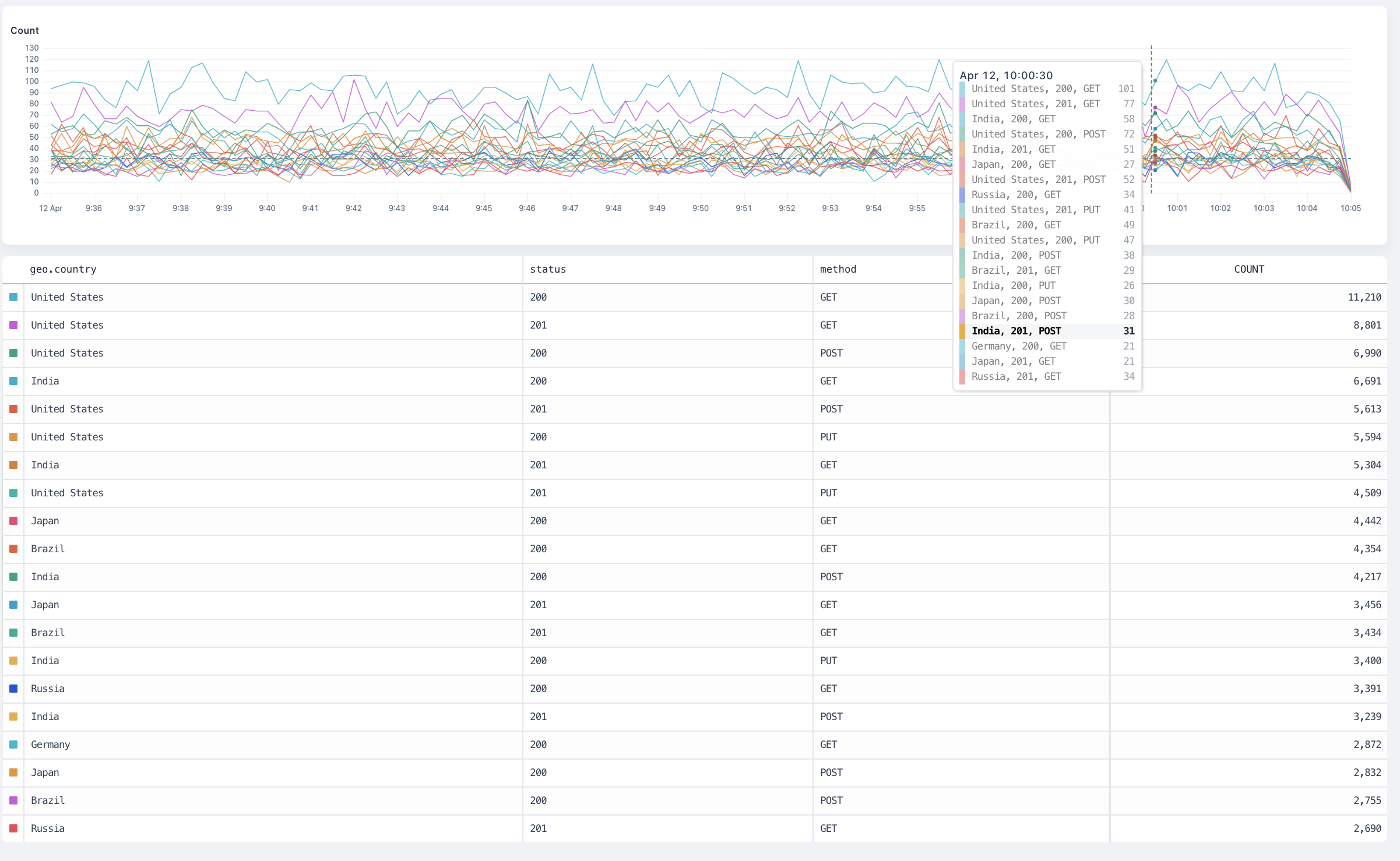
## `count`
The `count` visualization counts all matching events and produces a time series chart.
#### Arguments
This visualization doesn’t take an argument.
#### Group-by behaviour
The visualization produces a separate result for each group plotted on a time series chart.
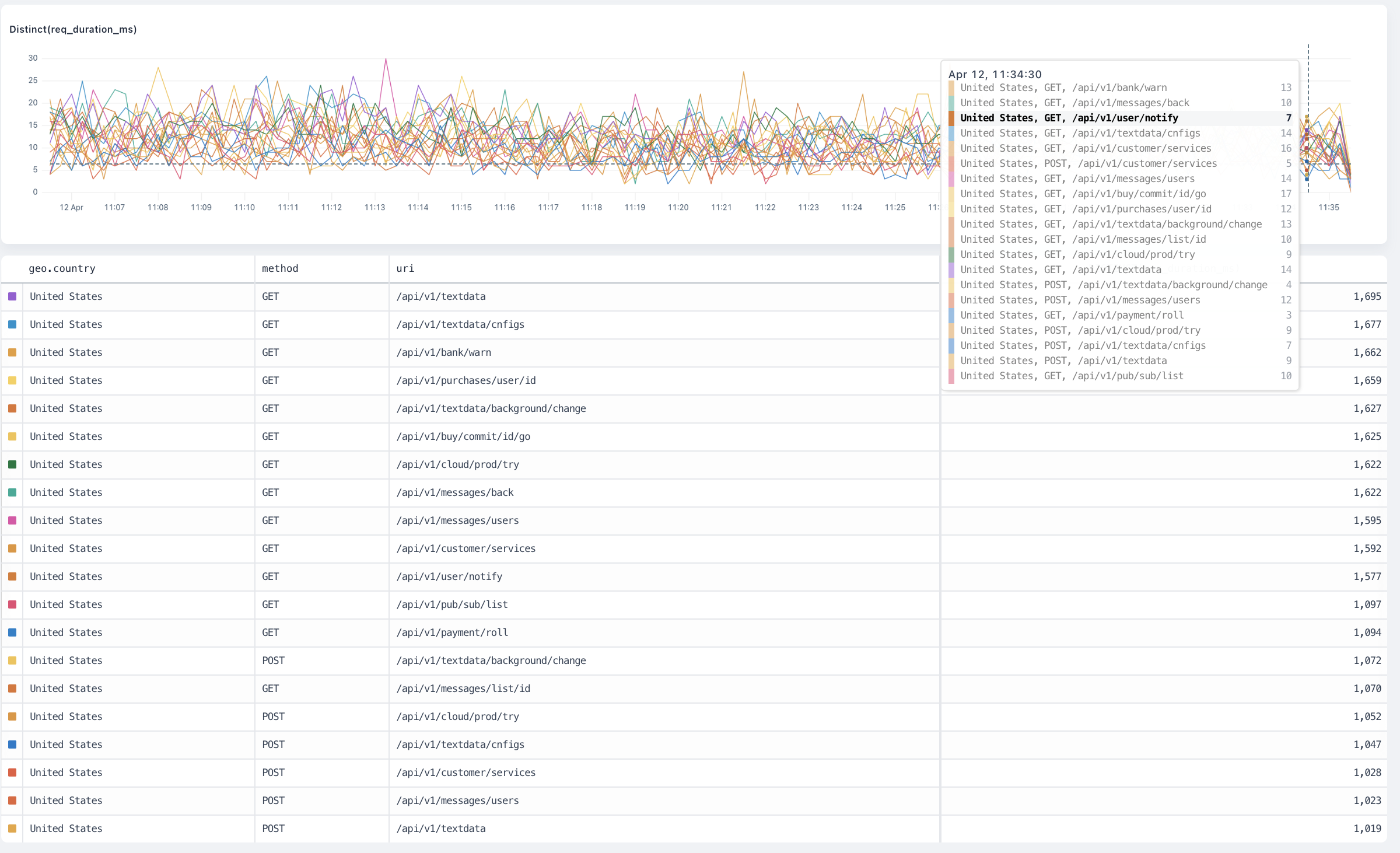
 ## `distinct`
The `distinct` visualization counts each distinct occurrence of the distinct field inside the dataset and produce a time series chart.
#### Arguments
`field: any` is the field to aggregate.
#### Group-By Behaviour
The visualization produces a separate result for each group plotted on a time series chart.
## `distinct`
The `distinct` visualization counts each distinct occurrence of the distinct field inside the dataset and produce a time series chart.
#### Arguments
`field: any` is the field to aggregate.
#### Group-By Behaviour
The visualization produces a separate result for each group plotted on a time series chart.
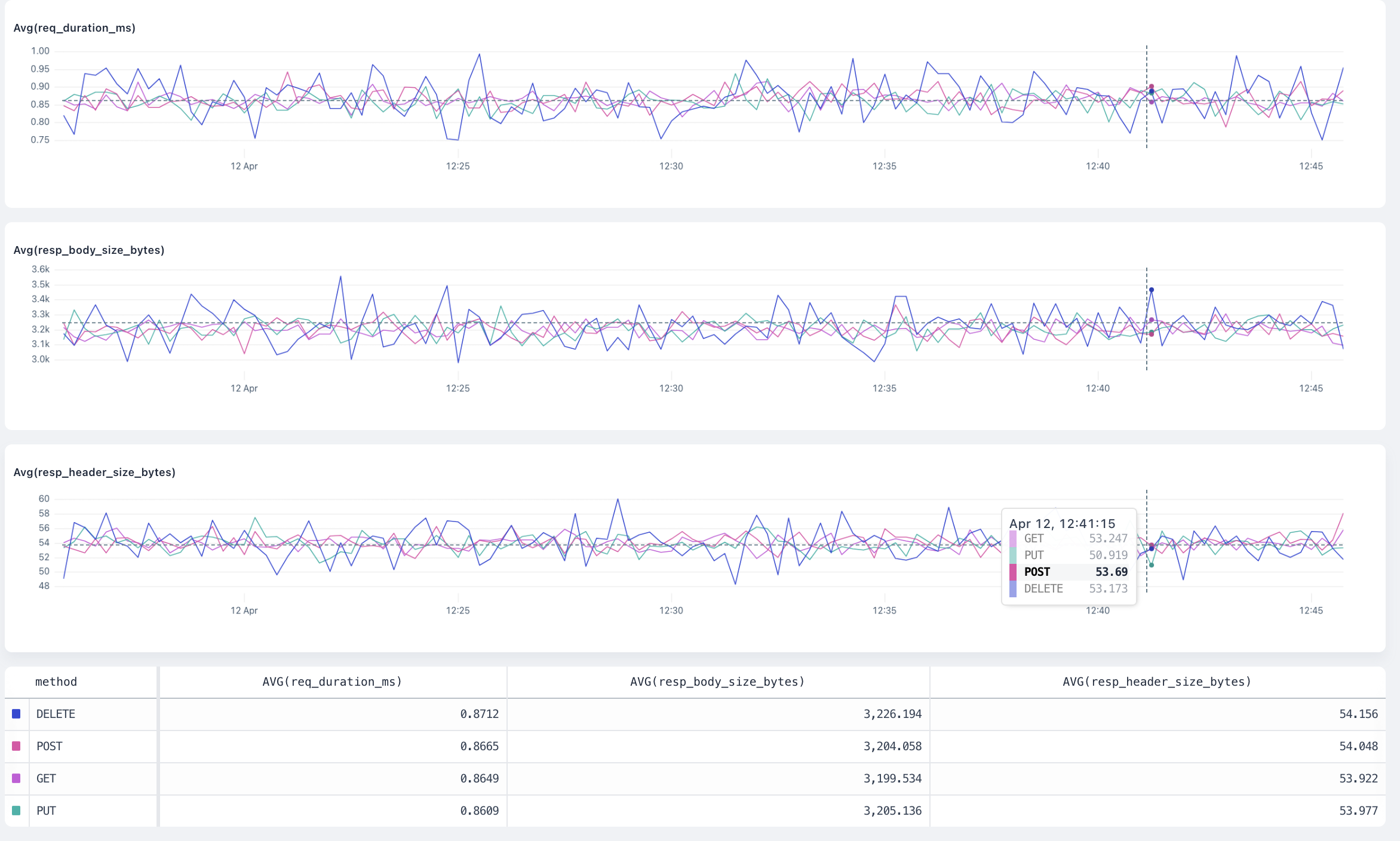
 ## `avg`
The `avg` visualization averages the values of the field inside the dataset and produces a time series chart.
#### Arguments
`field: number` is the number field to average.
#### Group-by behaviour
The visualization produces a separate result for each group plotted on a time series chart.
## `avg`
The `avg` visualization averages the values of the field inside the dataset and produces a time series chart.
#### Arguments
`field: number` is the number field to average.
#### Group-by behaviour
The visualization produces a separate result for each group plotted on a time series chart.
 ## `max`
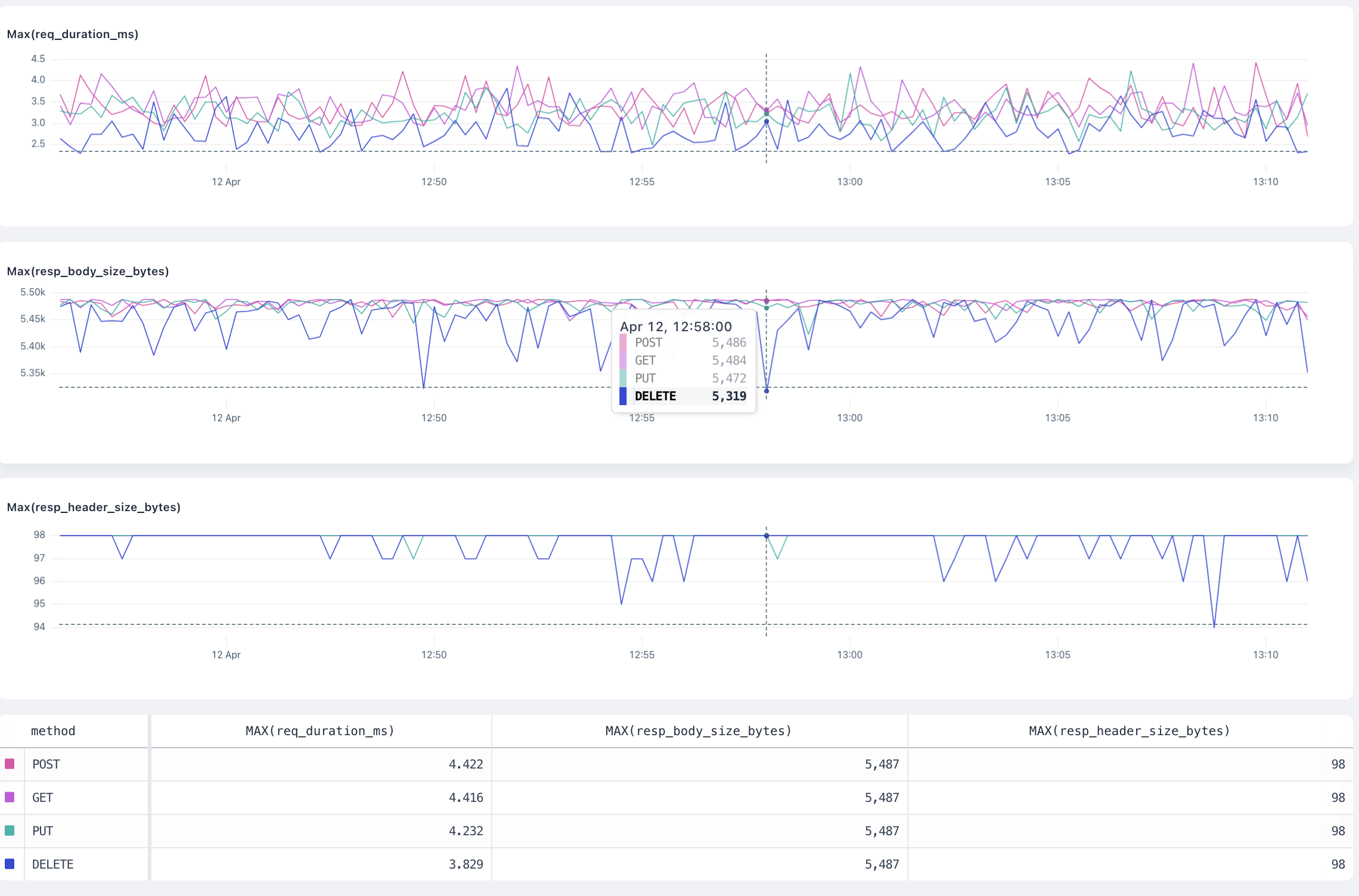
The `max` visualization finds the maximum value of the field inside the dataset and produces a time series chart.
#### Arguments
`field: number` is the number field where Axiom finds the maximum value.
#### Group-by behaviour
The visualization produces a separate result for each group plotted on a time series chart.
## `max`
The `max` visualization finds the maximum value of the field inside the dataset and produces a time series chart.
#### Arguments
`field: number` is the number field where Axiom finds the maximum value.
#### Group-by behaviour
The visualization produces a separate result for each group plotted on a time series chart.
 ## `min`
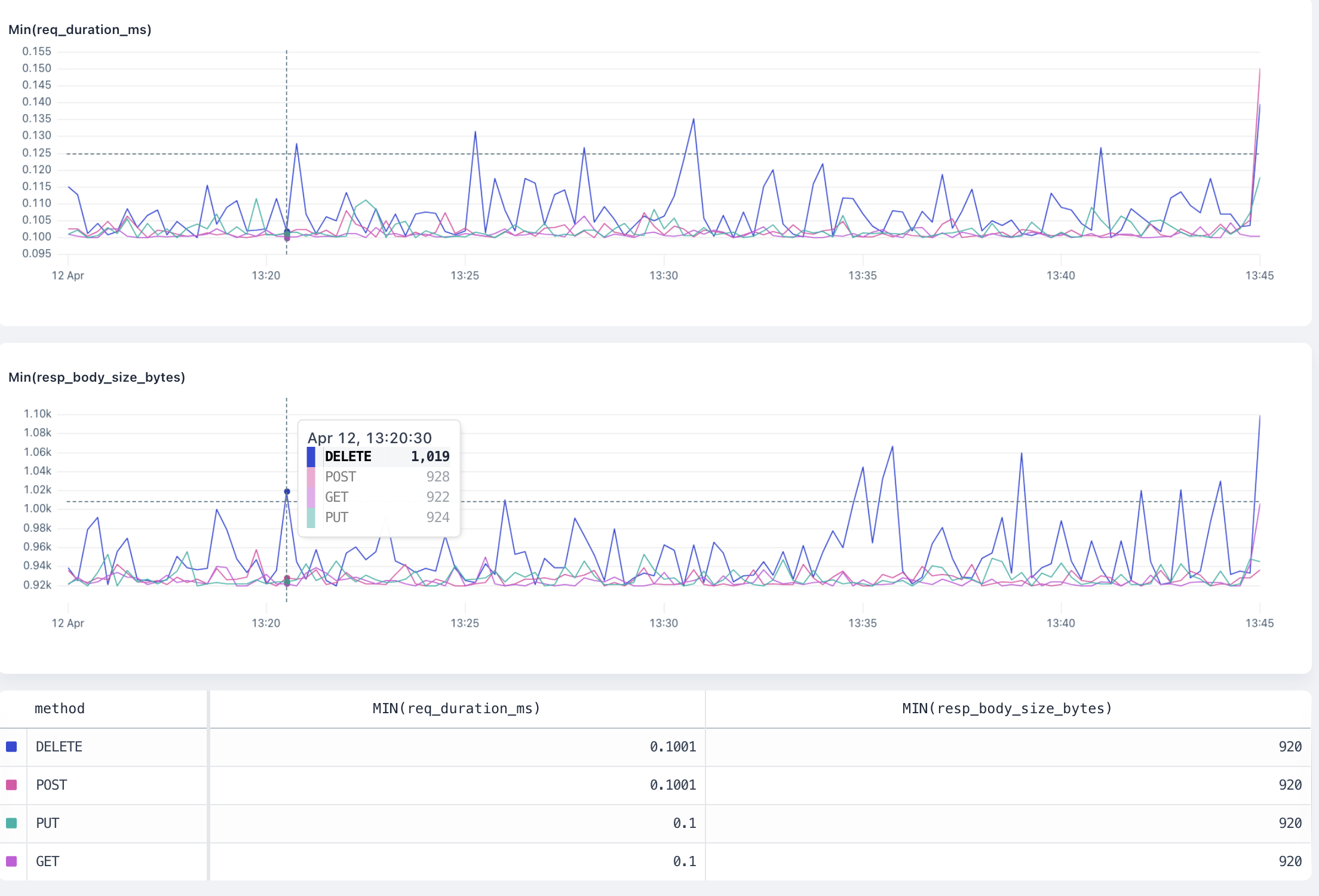
The `min` visualization finds the minimum value of the field inside the dataset and produces a time series chart.
#### Arguments
`field: number` is the number field where Axiom finds the minimum value.
#### Group-by behaviour
The visualization produces a separate result for each group plotted on a time series chart.
## `min`
The `min` visualization finds the minimum value of the field inside the dataset and produces a time series chart.
#### Arguments
`field: number` is the number field where Axiom finds the minimum value.
#### Group-by behaviour
The visualization produces a separate result for each group plotted on a time series chart.
 ## `sum`
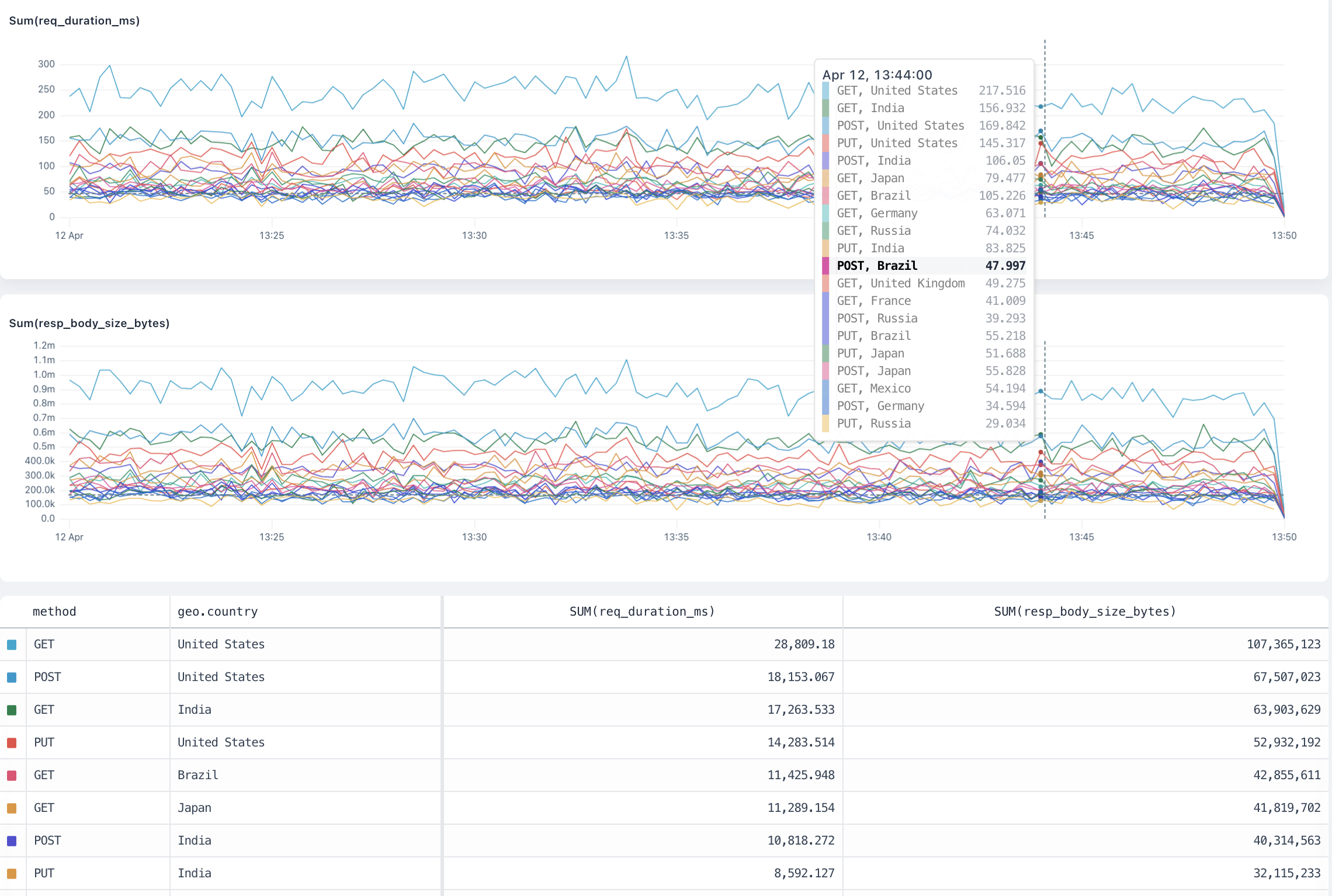
The `sum` visualization adds all the values of the field inside the dataset and produces a time series chart.
#### Arguments
`field: number` is the number field where Axiom calculates the sum.
#### Group-by behaviour
The visualization produces a separate result for each group plotted on a time series chart.
## `sum`
The `sum` visualization adds all the values of the field inside the dataset and produces a time series chart.
#### Arguments
`field: number` is the number field where Axiom calculates the sum.
#### Group-by behaviour
The visualization produces a separate result for each group plotted on a time series chart.
 ## `percentiles`
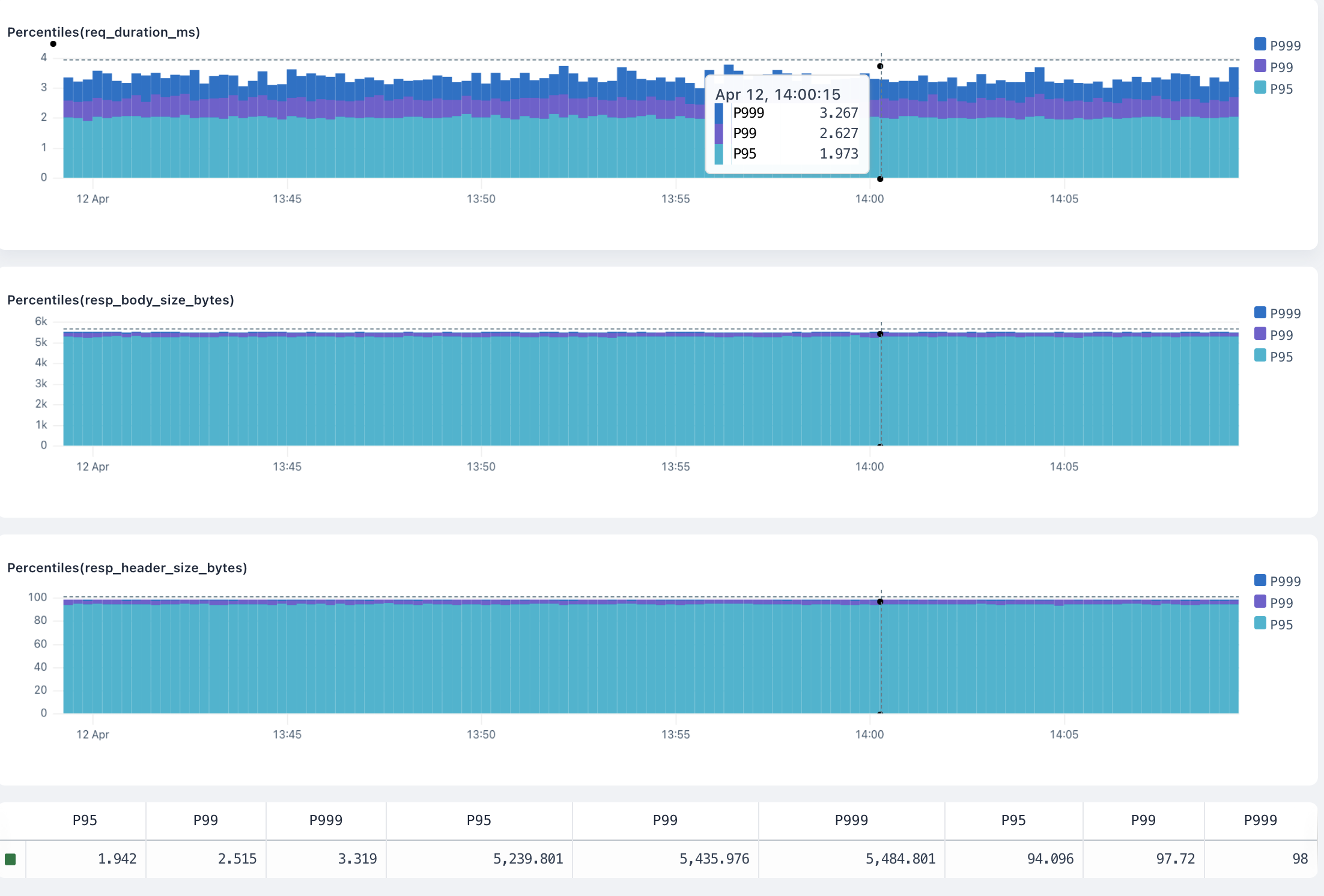
The `percentiles` visualization calculates the requested percentiles of the field in the dataset and produces a time series chart.
#### Arguments
* `field: number` is the number field where Axiom calculates the percentiles.
* `percentiles: number [, ...]` is a list of percentiles , each a float between 0 and 100. For example, `percentiles(request_size, 95, 99, 99.9)`.
#### Group-by behaviour
The visualization produces a separate result for each group plotted on a horizontal bar chart, allowing for visual comparison across the groups.
## `percentiles`
The `percentiles` visualization calculates the requested percentiles of the field in the dataset and produces a time series chart.
#### Arguments
* `field: number` is the number field where Axiom calculates the percentiles.
* `percentiles: number [, ...]` is a list of percentiles , each a float between 0 and 100. For example, `percentiles(request_size, 95, 99, 99.9)`.
#### Group-by behaviour
The visualization produces a separate result for each group plotted on a horizontal bar chart, allowing for visual comparison across the groups.
 ## `histogram`
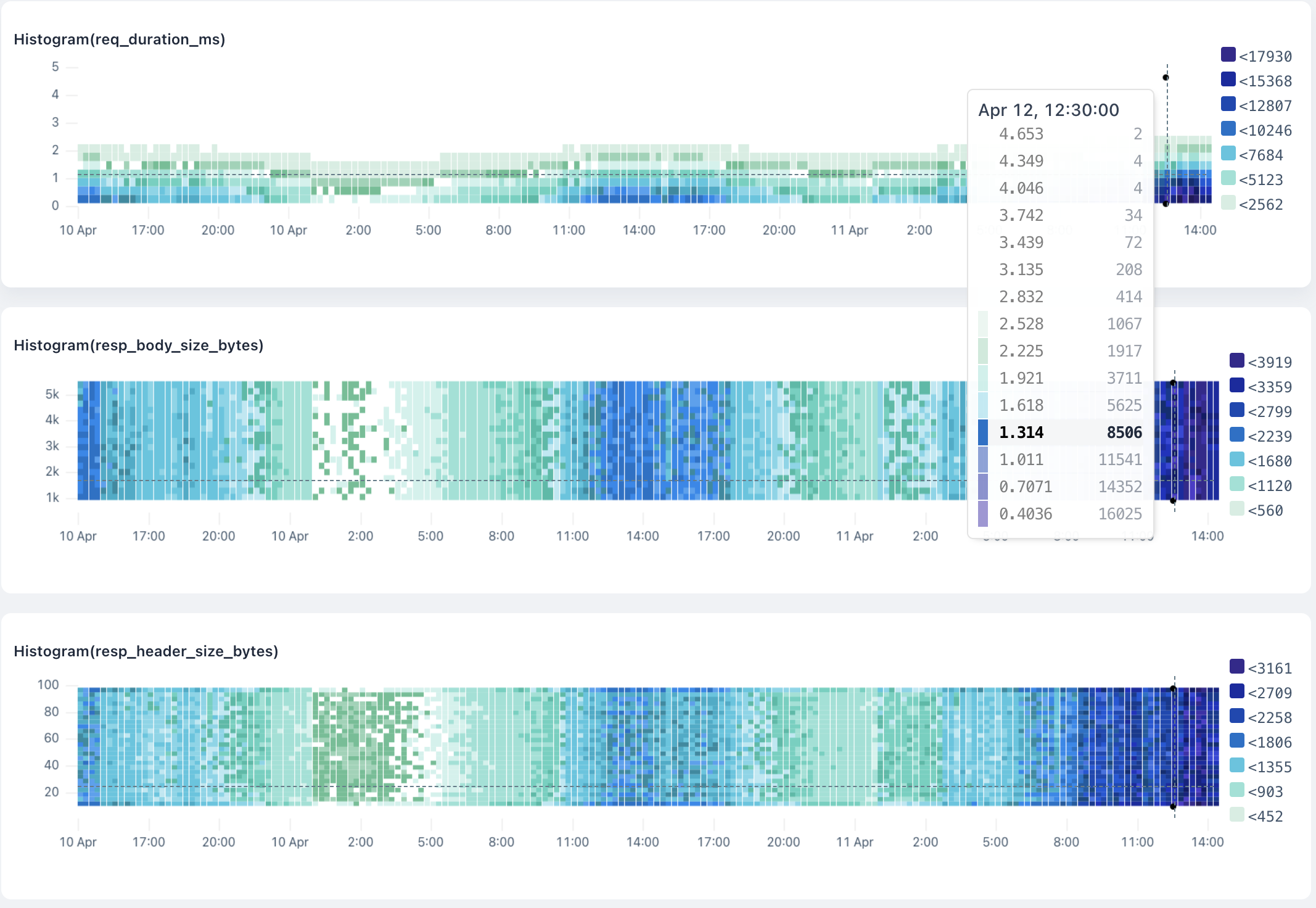
The `histogram` visualization buckets the field into a distribution of N buckets, returning a time series heatmap chart.
#### Arguments
* `field: number` is the number field where Axiom calculates the distribution.
* `nBuckets` is the number of buckets to return. For example, `histogram(request_size, 15)`.
#### Group-by behaviour
The visualization produces a separate result for each group plotted on a time series histogram. Hovering over a group in the totals table shows only the results for that group in the histogram.
## `histogram`
The `histogram` visualization buckets the field into a distribution of N buckets, returning a time series heatmap chart.
#### Arguments
* `field: number` is the number field where Axiom calculates the distribution.
* `nBuckets` is the number of buckets to return. For example, `histogram(request_size, 15)`.
#### Group-by behaviour
The visualization produces a separate result for each group plotted on a time series histogram. Hovering over a group in the totals table shows only the results for that group in the histogram.
 ## `topk`
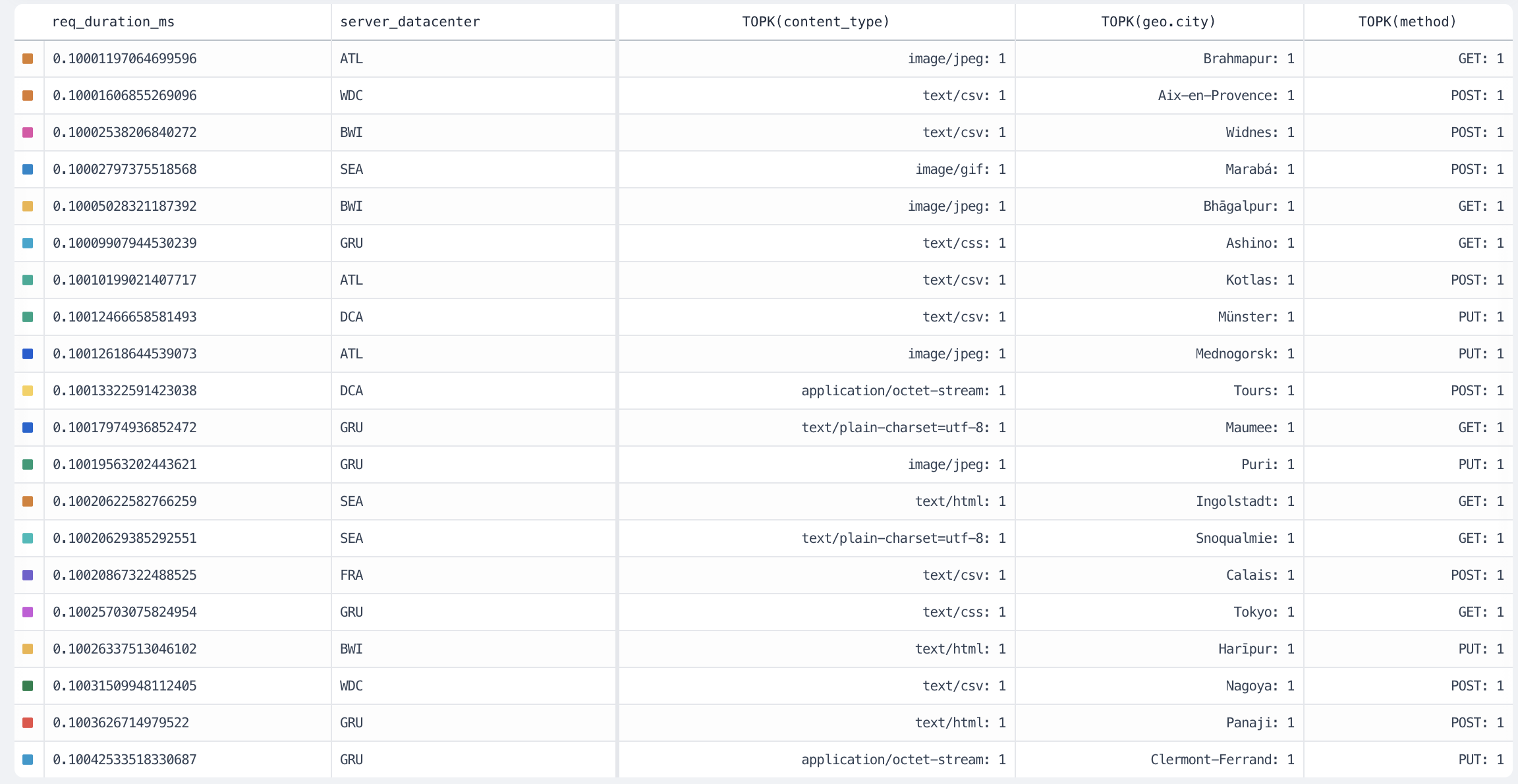
The `topk` visualization calculates the top values for a field in a dataset.
#### Arguments
* `field: number` is the number field where Axiom calculates the top values.
* `nResults` is the number of top values to return. For example, `topk(method, 10)`.
#### Group-by behaviour
The visualization produces a separate result for each group plotted on a time series chart.
## `topk`
The `topk` visualization calculates the top values for a field in a dataset.
#### Arguments
* `field: number` is the number field where Axiom calculates the top values.
* `nResults` is the number of top values to return. For example, `topk(method, 10)`.
#### Group-by behaviour
The visualization produces a separate result for each group plotted on a time series chart.
 ## `variance`
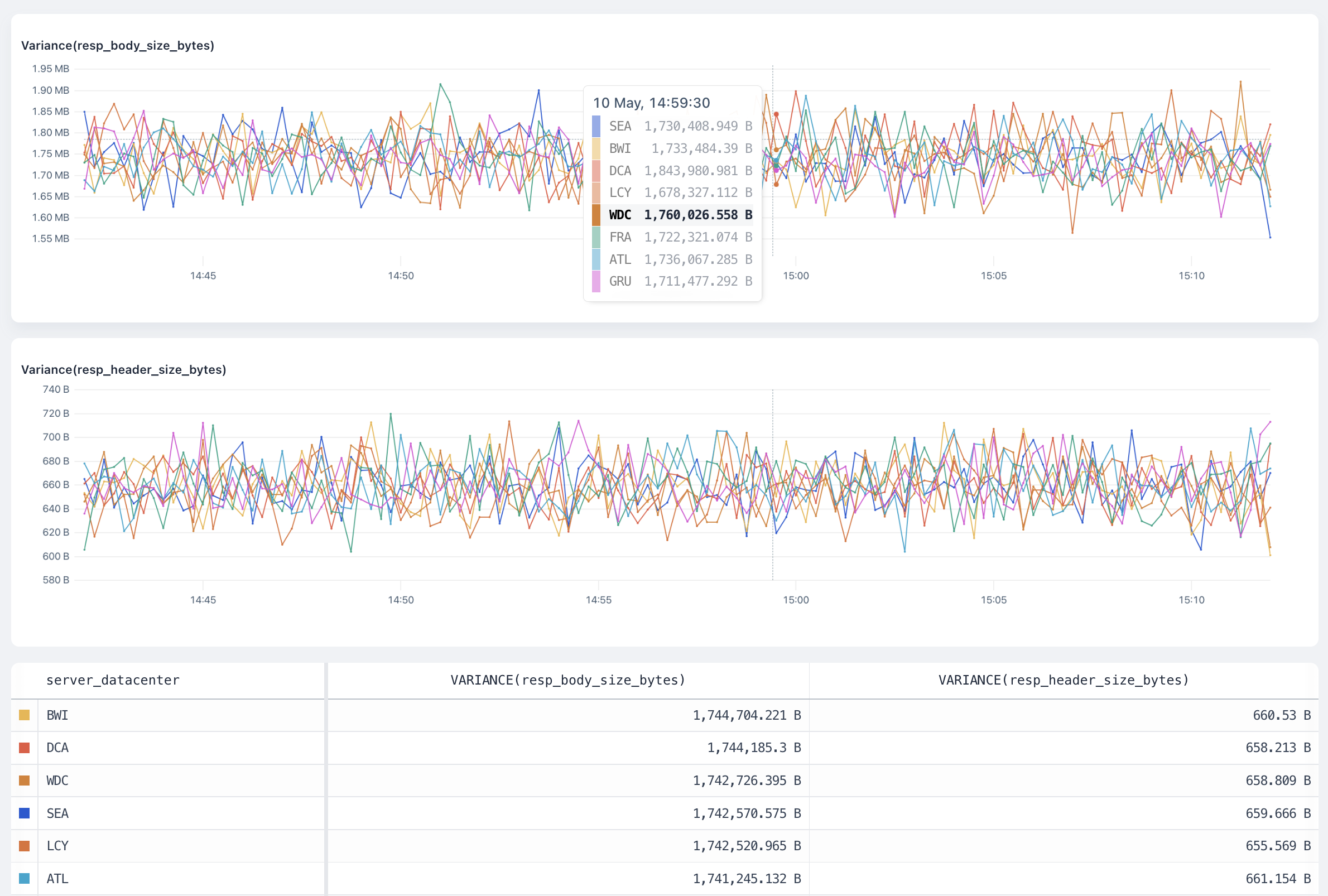
The `variance` visualization calculates the variance of the field in the dataset and produces a time series chart.
The `variance` aggregation returns the sample variance of the fields of the dataset.
#### Arguments
`field: number` is the number field where Axiom calculates the variance.
#### Group-by behaviour
The visualization produces a separate result for each group plotted on a time series chart.
## `variance`
The `variance` visualization calculates the variance of the field in the dataset and produces a time series chart.
The `variance` aggregation returns the sample variance of the fields of the dataset.
#### Arguments
`field: number` is the number field where Axiom calculates the variance.
#### Group-by behaviour
The visualization produces a separate result for each group plotted on a time series chart.
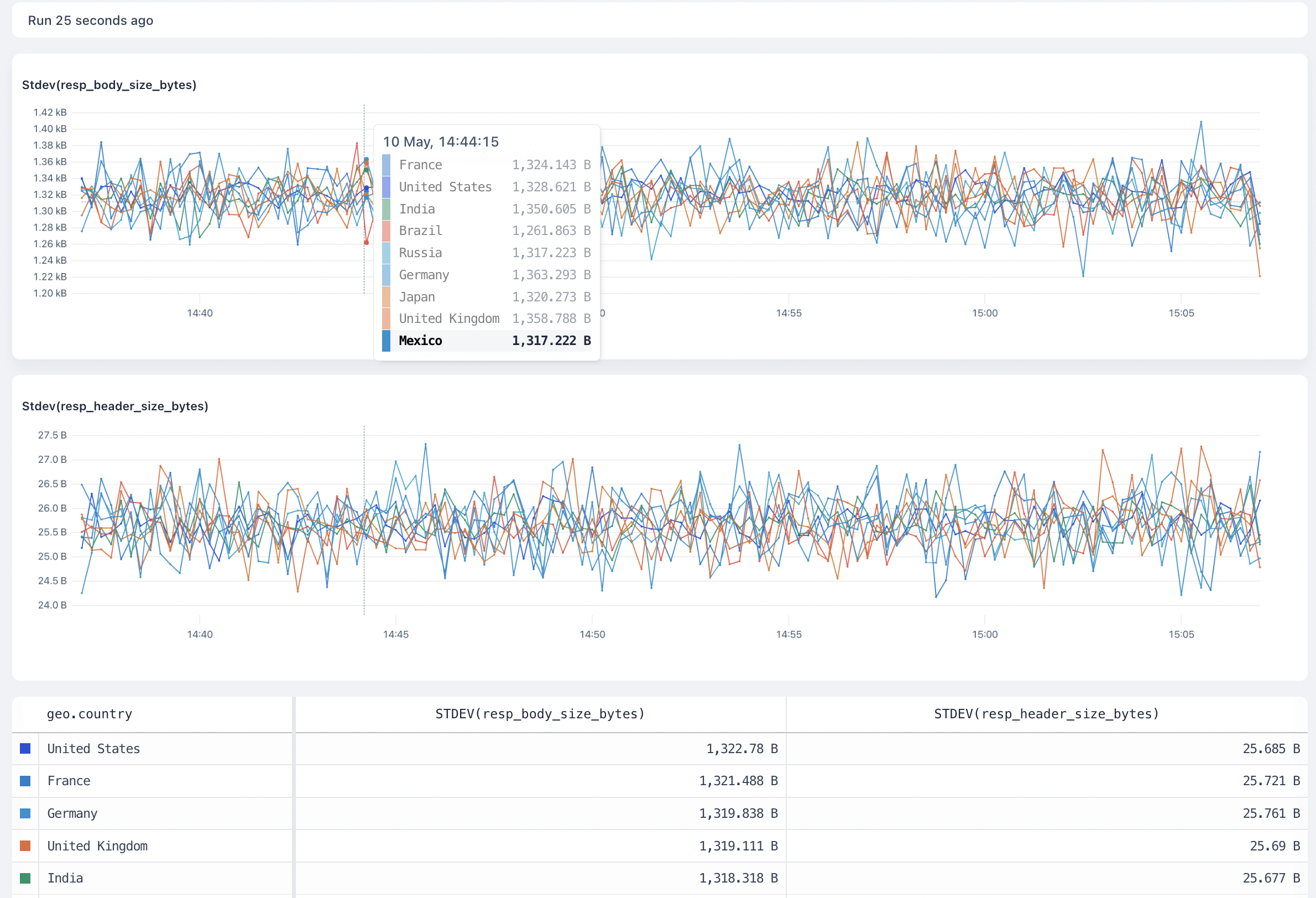
 ## `stddev`
The `stddev` visualization calculates the standard deviation of the field in the dataset and produces a time series chart.
The `stddev` aggregation returns the sample standard deviation of the fields of the dataset.
#### Arguments
`field: number` is the number field where Axiom calculates the standard deviation.
#### Group-by behaviour
The visualization produces a separate result for each group plotted on a time series chart.
## `stddev`
The `stddev` visualization calculates the standard deviation of the field in the dataset and produces a time series chart.
The `stddev` aggregation returns the sample standard deviation of the fields of the dataset.
#### Arguments
`field: number` is the number field where Axiom calculates the standard deviation.
#### Group-by behaviour
The visualization produces a separate result for each group plotted on a time series chart.