Correlations are now available in Axiom.
Say an API starts timing out.
At first, you only have the symptom. From there, the work is finding the surrounding context that explains what happened: the path the request took, the services involved, and the state of the workload behind it.
That context is often spread across different data sources. Engineers have to jump between views, rebuild time ranges, copy identifiers, and stitch together signals that describe the same system.
Correlations make that path navigable in Axiom. They connect related telemetry so investigations can move from the first clue to the surrounding system state without manual query stitching.
Start With The Log
In many incidents, the first clue is a log event: a timeout, an exception, a failed request, or some local detail that proves something went wrong.
But a log line is only the beginning. It tells you what surfaced, not the full request path.
With Correlations, a log event that includes trace context can open the matching trace in Axiom. No copying trace IDs. No switching data sources. No rebuilding the time range by hand.
One event becomes the start of the investigation.
Follow The Trace
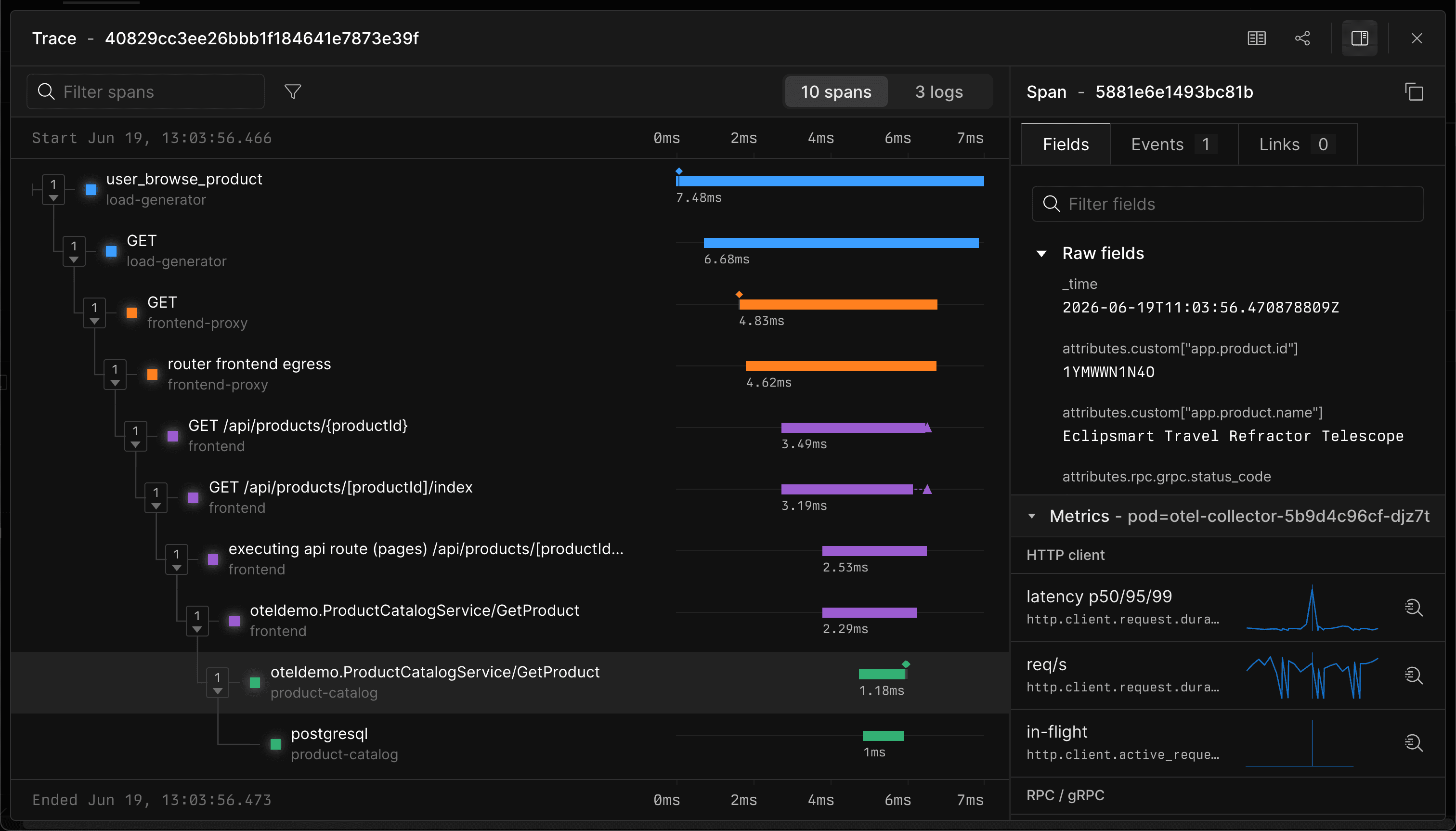
The trace shows how the request moved through the system. You can see the services involved, the spans that ran, where latency accumulated, and which dependency or operation deserves attention.
The log points at the symptom. The trace narrows the investigation.
Maybe the request waited on a downstream service. Maybe a database call slowed down. Maybe retries made one failure look like five. The trace explains the request.
Inspect The Workload
A single request is not always enough to understand the cause of an issue.
It might also be a sign that the service was under pressure. With Correlations, Axiom can surface related workload metrics while you are inspecting the span.
You can check whether latency was rising across the service, throughput had changed, CPU or memory was saturated, containers were restarting, or connection pools were under pressure.
That context helps separate a single bad request from a broader service problem. If the span is slow but the workload looks normal, you can keep digging into request-specific behavior. If the workload is under pressure, you know the trace is part of a larger pattern.
Get Started
Create a correlation group for the logs, traces, and metrics that describe the same system. Then start from a log event, open the trace, and inspect the workload metrics around the span.
Correlations make telemetry navigable across the shape of a real investigation.