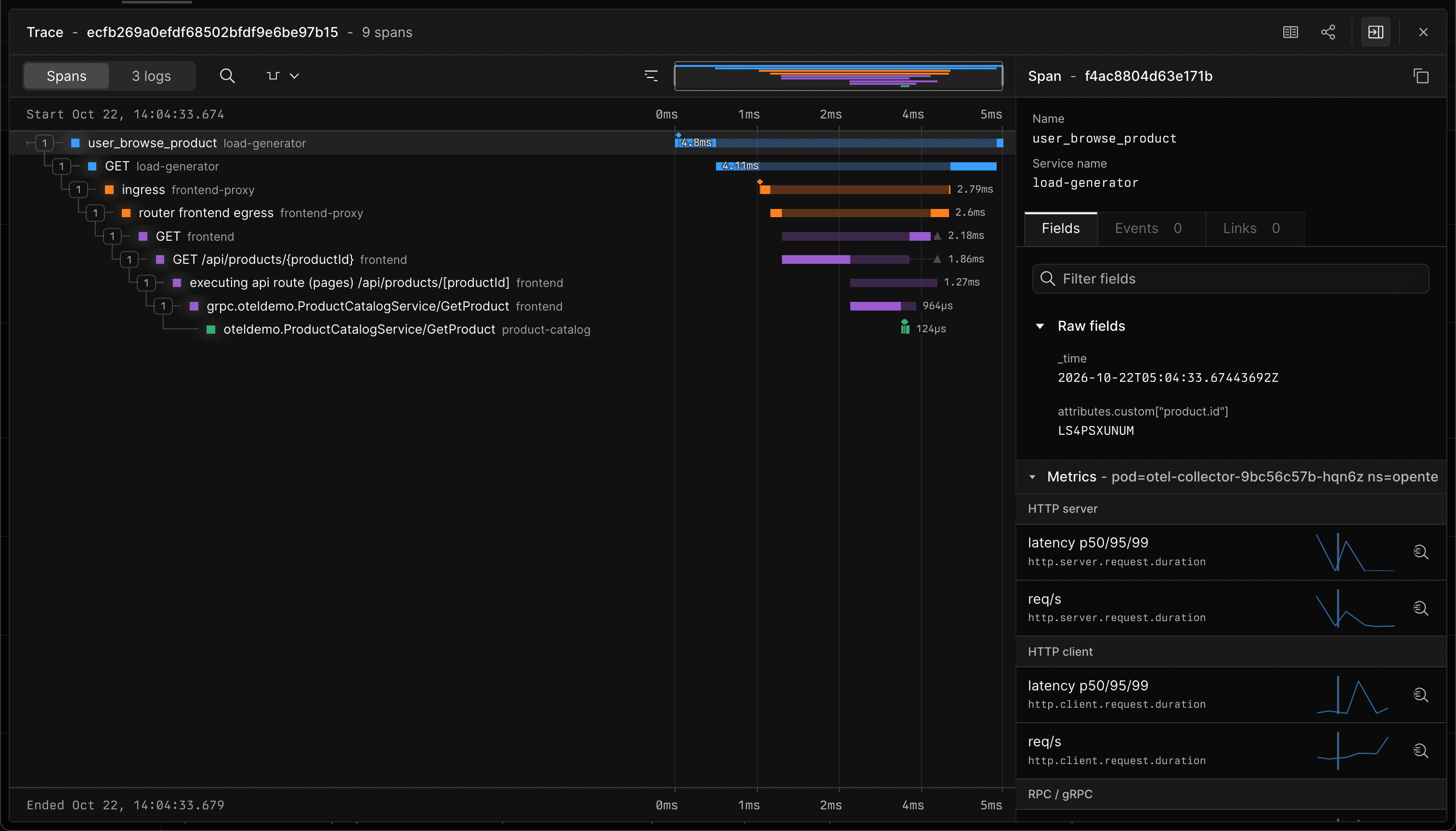
Critical Path is now available in Axiom's trace viewer.
For any slow trace, it is usually only a small subset of spans that contribute to its slowness. The critical path is the chain of spans the trace waited on. Speed up any of them and the whole trace gets faster.
Highlight the critical path
Open a trace, then open the Critical path menu in the waterfall toolbar and select Highlight critical path. Every span bar dims, and the parts of each span that held up the trace are drawn in full color.
Show only spans on the path
Select Show only spans on the path to hide every span that isn't on the critical path. In large traces with hundreds or thousands of spans, it can be difficult to see what the key spans are. By showing only the critical path, you can focus on the spans that determine the total duration.
Built for real traces
The algorithm used for Axiom's critical path is based on CRISP, the algorithm Uber built to find critical paths in its production traces. We improved it with better handling of concurrency, and better handling of cases where spans are slightly mis-timed, which often happens in distributed systems.
For more information, see Traces.