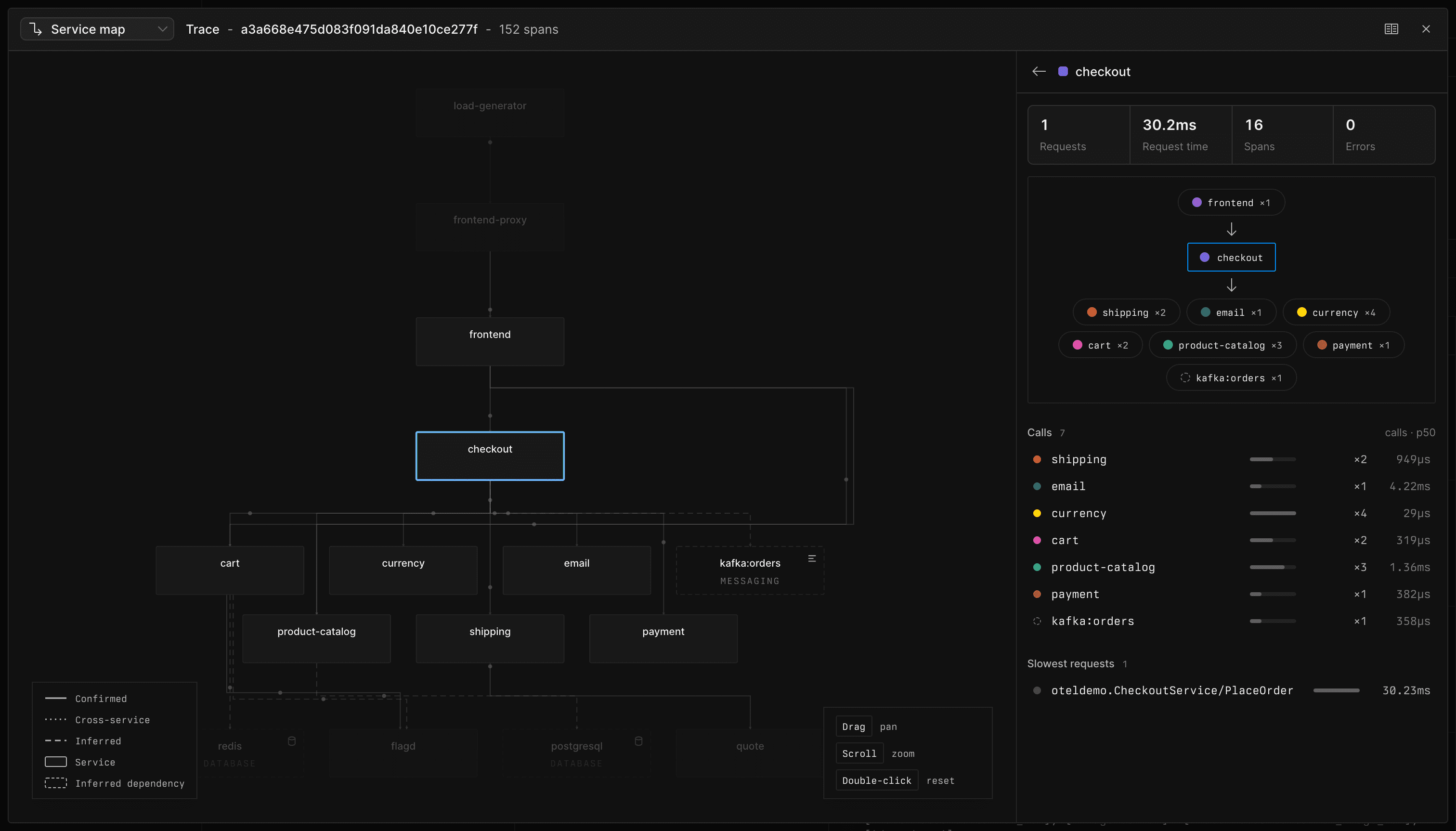
Service Map and Statistics views are now available for Traces in Axiom.
While the traditional Waterfall view presents a complete view of every span of a trace, it is not always the best way to represent large traces. These new views allow you to quickly understand the shape of a trace, and see aggregated information about performance and errors.
See how a request moved through your system
The service map shows every service a trace passed through and every call between them.
Databases, queues, and external hosts appear too, even when they aren't instrumented: Axiom finds them in the client spans of the services that call them.
Find where the time went
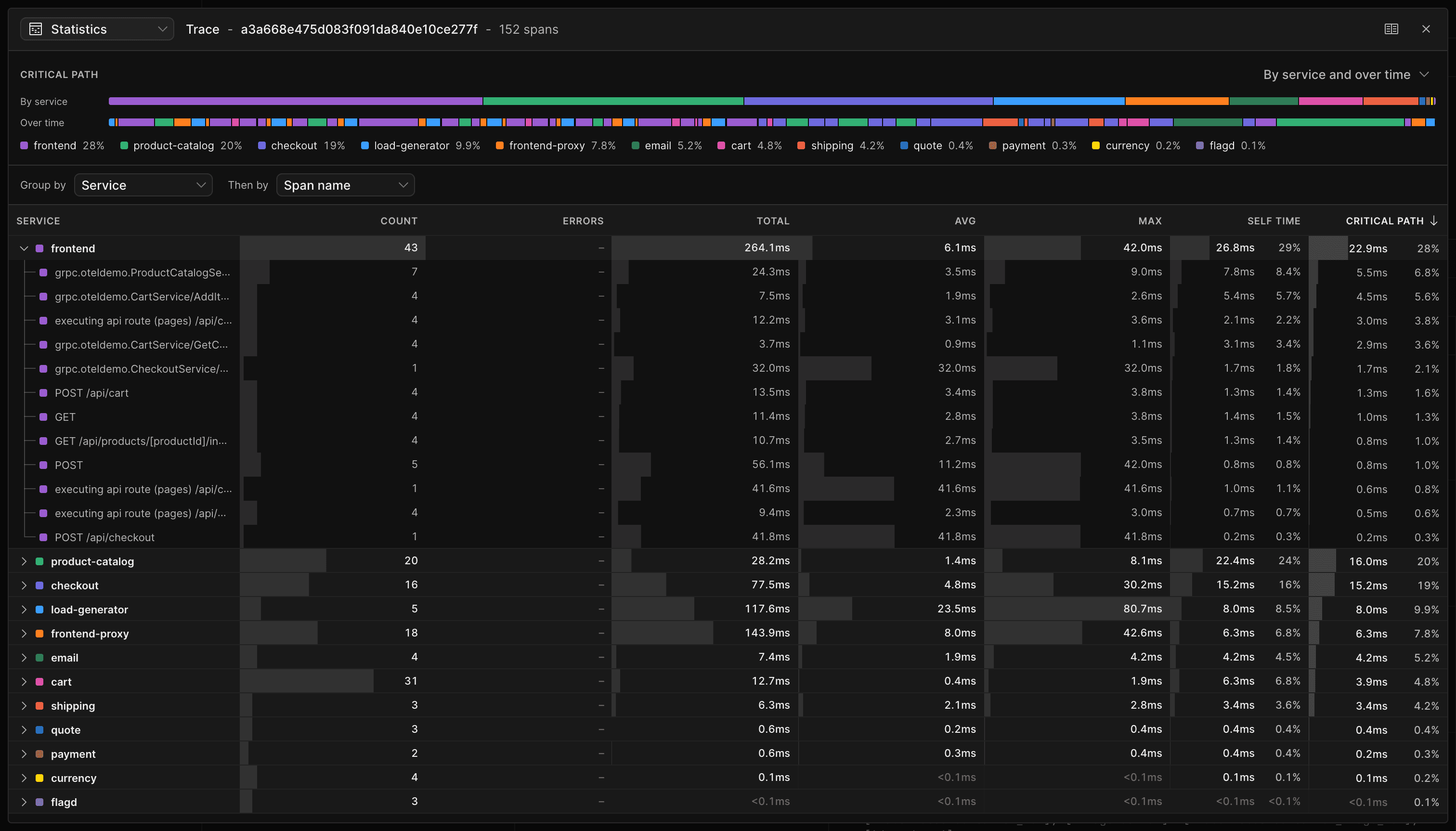
The statistics view sums up a trace in one table. Group spans by service, span name, span kind, or status, then by a second field, and compare counts, errors, total and average duration, and self time. Select a row to see its spans and correlate back to the waterfall.